fomo app
JUNE 2026
social crypto trading

Mobile Users Are Missing Real-Time Opportunities
fomo web platform has a powerful dedicated Alerts experience, but the mobile app currently buries similar signals inside the Feed & push notifications.
In a fast-moving environment, this creates:
friction
notification fatigue.
User pain points:
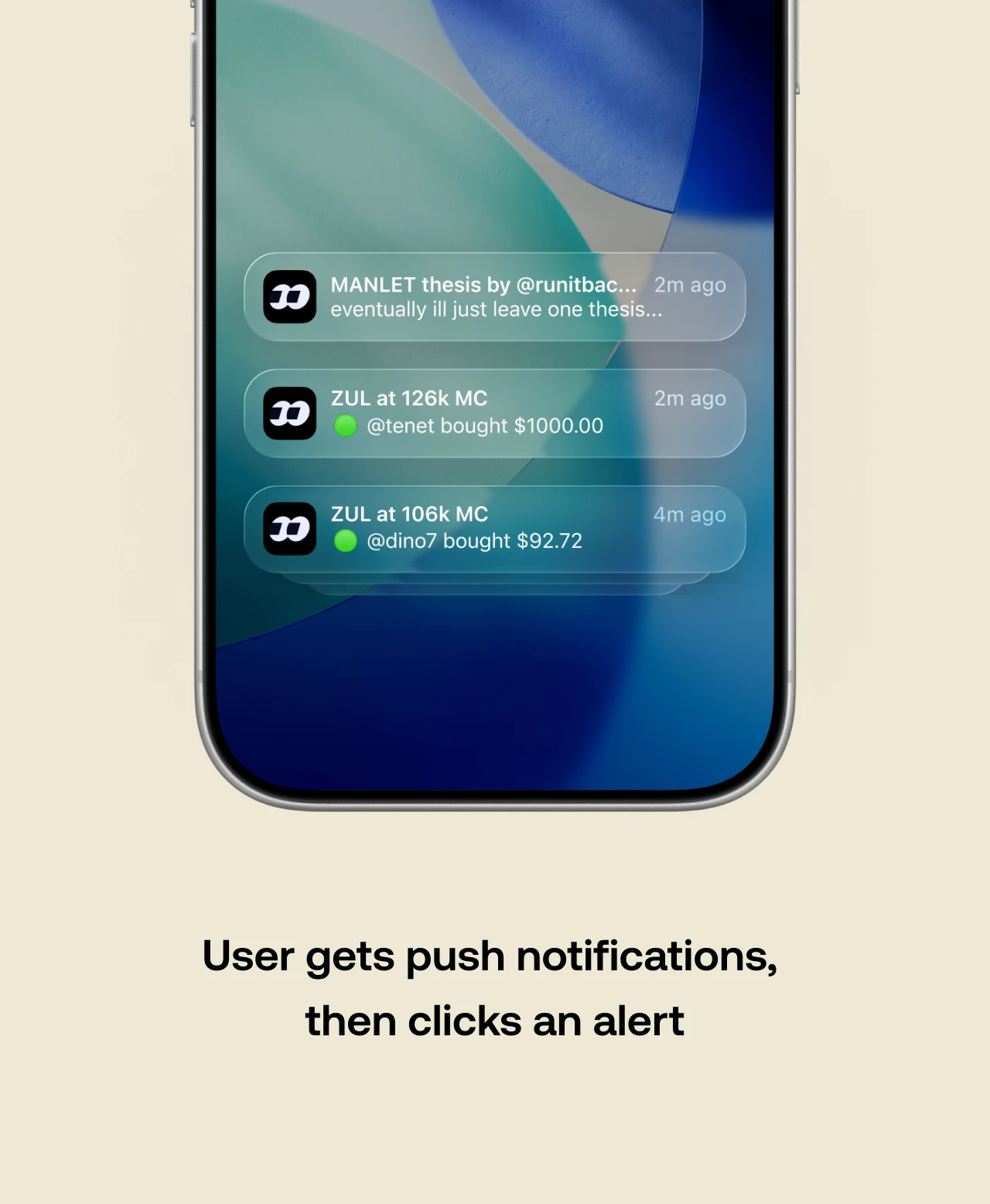
Users rely on push notifications (easy to miss or ignore).
Inconsistent cross-platform alerts experience for users.
Business pain points:
Limited & reduced daily active time and engagement from users who monitor markets in real-time.
User drop-off from flooded notifications.
Directly undermining the “never miss out” brand promise.

Design Goals
The aim of this design


User Journey
How the current problem unfolds over time from the user’s point of view.


Iteration 1: Dropdown Menu with Category Toggle
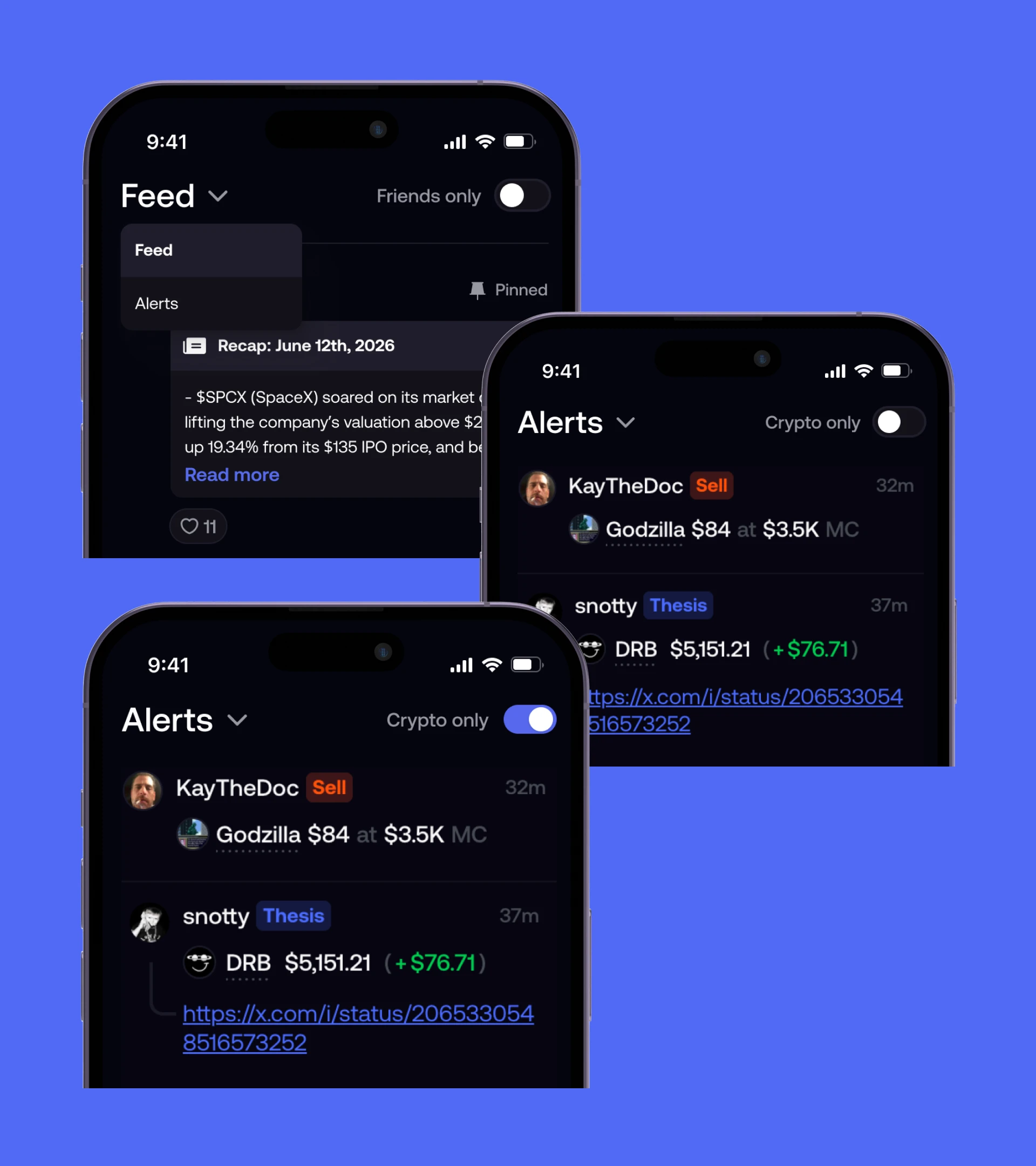
I tested a standard dropdown for view navigation and a toggle to filter active asset category with Crypto being the main one.
This approach keeps the interface organized by using familiar patterns within the fomo design system, but, it adds friction that breaks down at scale and slows down the user.
Pros:
Maintains a minimal, clean header area that prioritizes the feed content.
The binary toggle provides an immediate, recognizable way to filter the current primary asset categories. User can view Crypto only or both Crypto & Perps).
Cons:
Inconsistent cross-platform alerts experience for users.
The toggle is rigid and will not scale well when new asset categories (e.g., Stocks, NFTs, Equities) are introduced to the fomo app.
Placing two identical toggle switches in the top corners for completely different functions (Social state vs. Content filtering) creates a competing visual hierarchy and leads to cognitive overload for the user.
Iteration 2: Dropdown Menu with Asset Category Pills
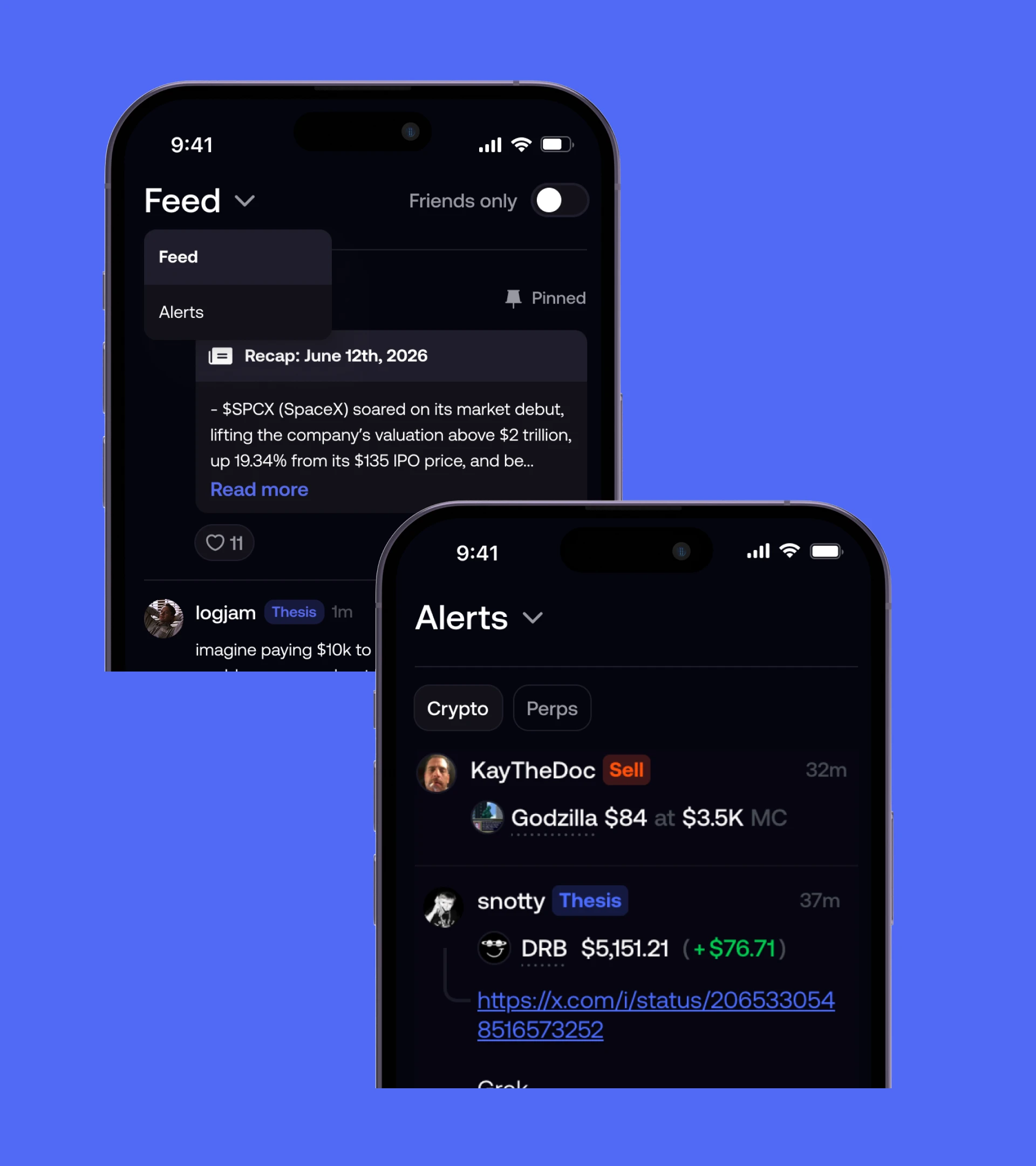
This iteration addresses the scalability constraints of the previous iteration by replacing the toggle with a pill component (from the Home screen).
The asset category filtering is now future-proof, the primary navigation still relies on a dropdown pattern, which introduces unnecessary friction in an environment where speed is critical.
Pros:
The pill-based filter system scales on horizontal, making it easier to introduce new asset categories (e.g., Stocks, Equities, NFTs) without breaking the UI.
Stays in line with the design system
Cons:
The dropdown menu still exists, creating a cognitive mismatch for users on fomo (known for moving fast) expecting a rapid view switch.
Decision: 1-Tap View Switch with Asset Category Pills
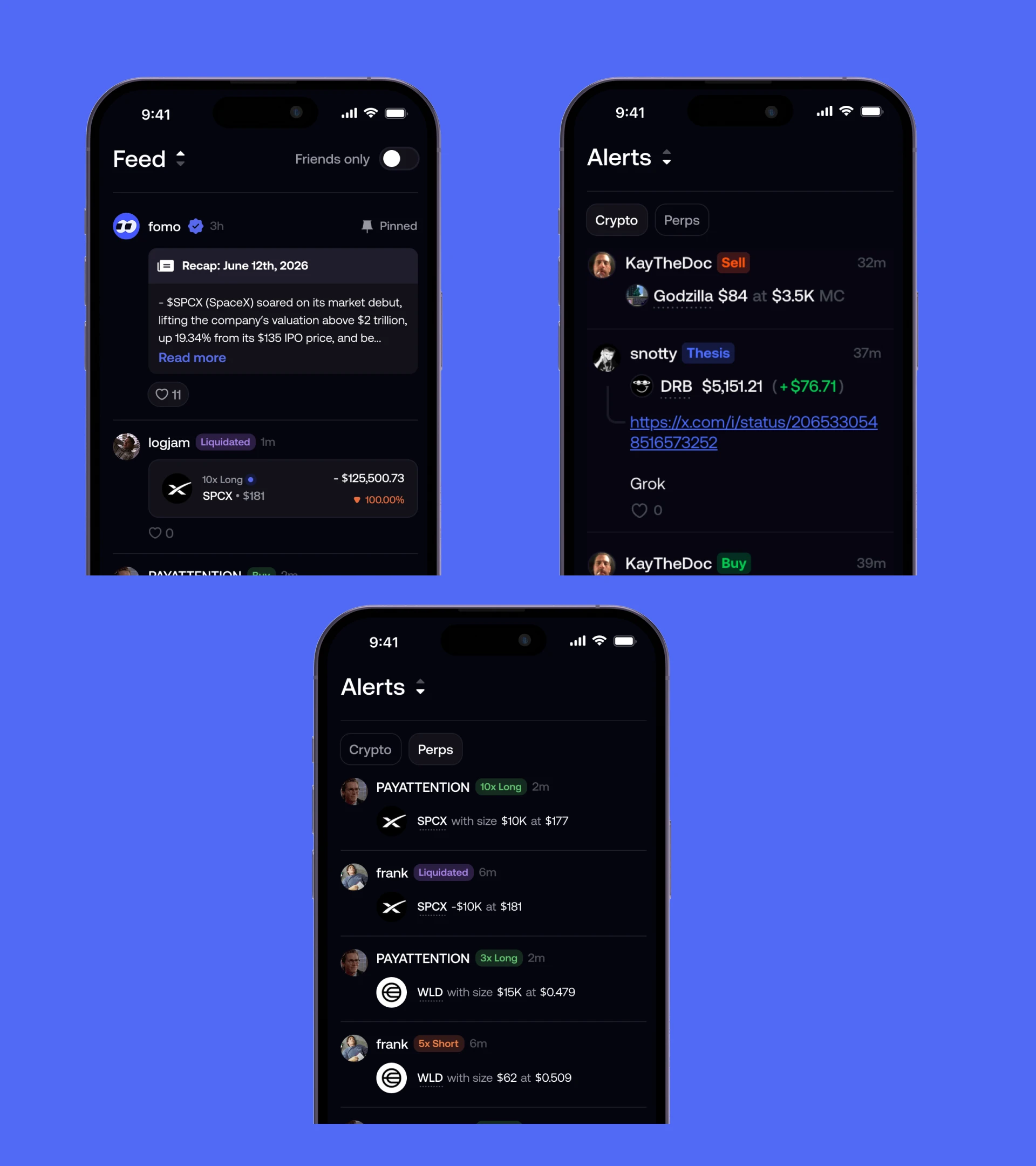
The final architecture is optimized for a fast-paced consumer crypto environment. It combines the scalable pill system with a native parallel view switcher to achieve zero-friction navigation.
Rather than opening a dropdown menu, tapping the header triggers an instant direct-swap transition.
Reasons:
Perfectly matches existing mobile mental models, enabling a fluid, 1-tap swap without menu friction.
The dynamic shading on the up/down arrows communicates that the Feed lives "above" and Alerts lives "below".
Users can now bounce between market feeds and position alerts in seconds without breaking their flow.
Accepted trade-offs:
Discoverability of the swap action relies on native UI literacy rather than text instructions. It’s accepted because the target demographic (both crypto and regular phone users) is used to these patterns.
A direct-swap interaction is strictly optimized for a binary ecosystem (Feed vs. Alerts). If a third primary view is needed later, the header will require restructuring. Accepted this trade-off to prioritize maximum speed for the current product state.
Success metrics
Design impact / how success should be measured


Credits
My Role
Growth Designer