Secret Santa
DECEMBER 2023
entertainment
Context
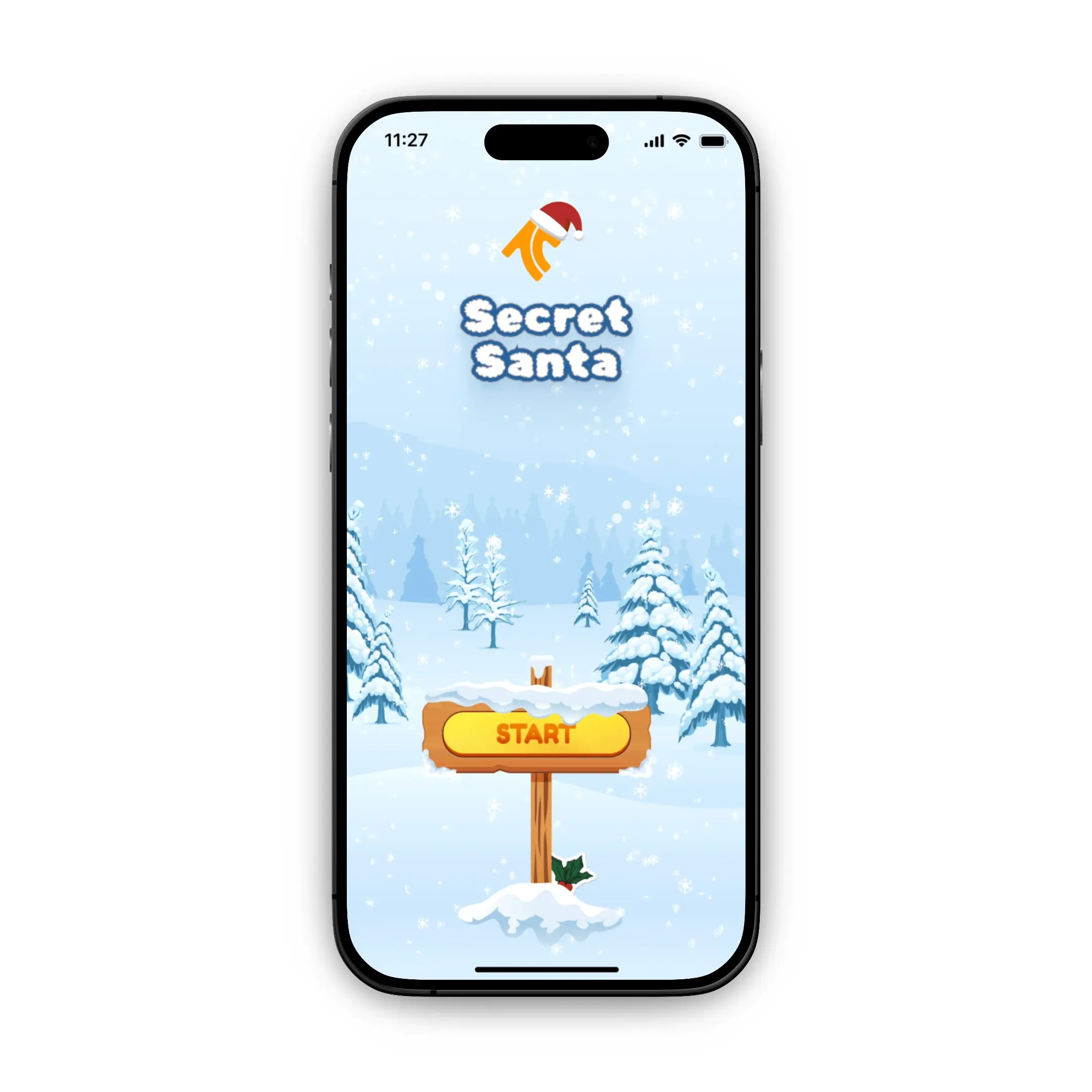
Secret Santa is an experience designed to bring festive delight to the holiday tradition of gift exchange matching.
I started it as a side project in December 2023. The idea was to create an interesting way for my colleagues and I to match one another.
Rather than solving a specific problem, this project was about elevating a simple task into an experience worth remembering.
The constraint was time; I had less than two weeks to design and ship something people could actually use.
To overcome the time constraint, I designed the entire experience as an interactive prototype using ProtoPie, hosted it in the cloud, and made it accessible to anyone with the link.
Design Goals
Keep it simple: No accounts, no onboarding. Just open and play.
Make it feel magical: Use illustrations, effects, and interactions to design a festive, delightful experience.
Ship it fast: Go from Illustrator → Figma → Protopie to deliver something functional in short time.
Designing for Delight
The festive illustrations, animations and sound effects keep the experience feeling alive; snow, Santa Claus hats, Christmas elements, snow capes, holiday colors, and seasonal iconography remind you it's a Christmas experience.
Gathering some illustrations in Illustrator

Designing in Figma

Exploring sound effects

Making It Functional
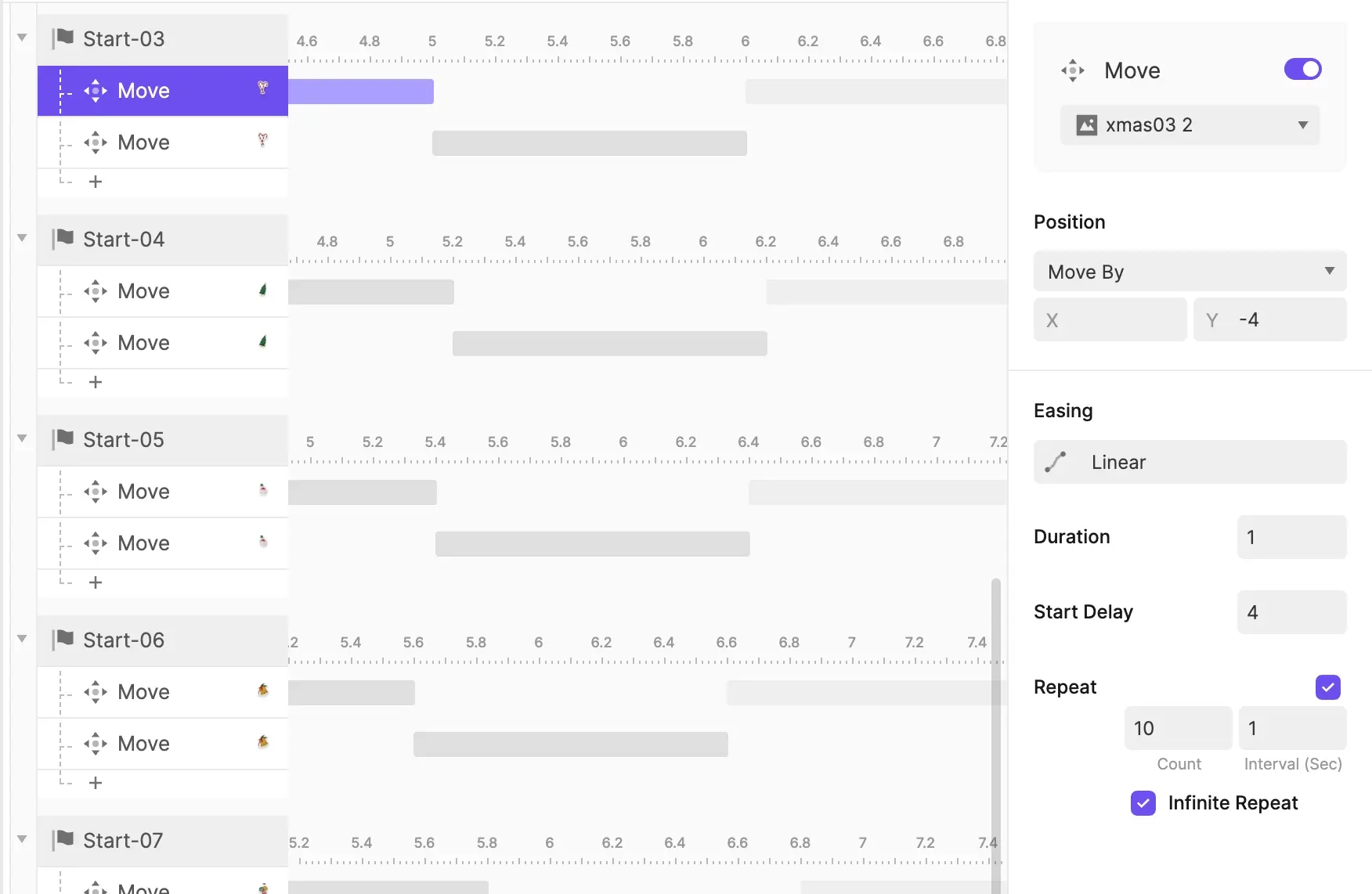
Opening Sequence & Intro Animation
Using ProtoPie's timeline, I sequenced multiple animations to fire on Start Trigger:
Logo reveal and scale
Thrindle branding fade-in and movement
Background color transition
Santa elements appearing
Audio playback for the Christmas intro music

Each santa element animation was offset by milliseconds to create a smooth introduction instead of everything appearing at once.
Interactive Elements & Participant Input
For each touchpoint (tapping buttons, selecting participant numbers, navigating back), I created Tap Trigger chains that included:
Sound effects
Screen transitions with smooth jumps
Conditional logic to determine next steps
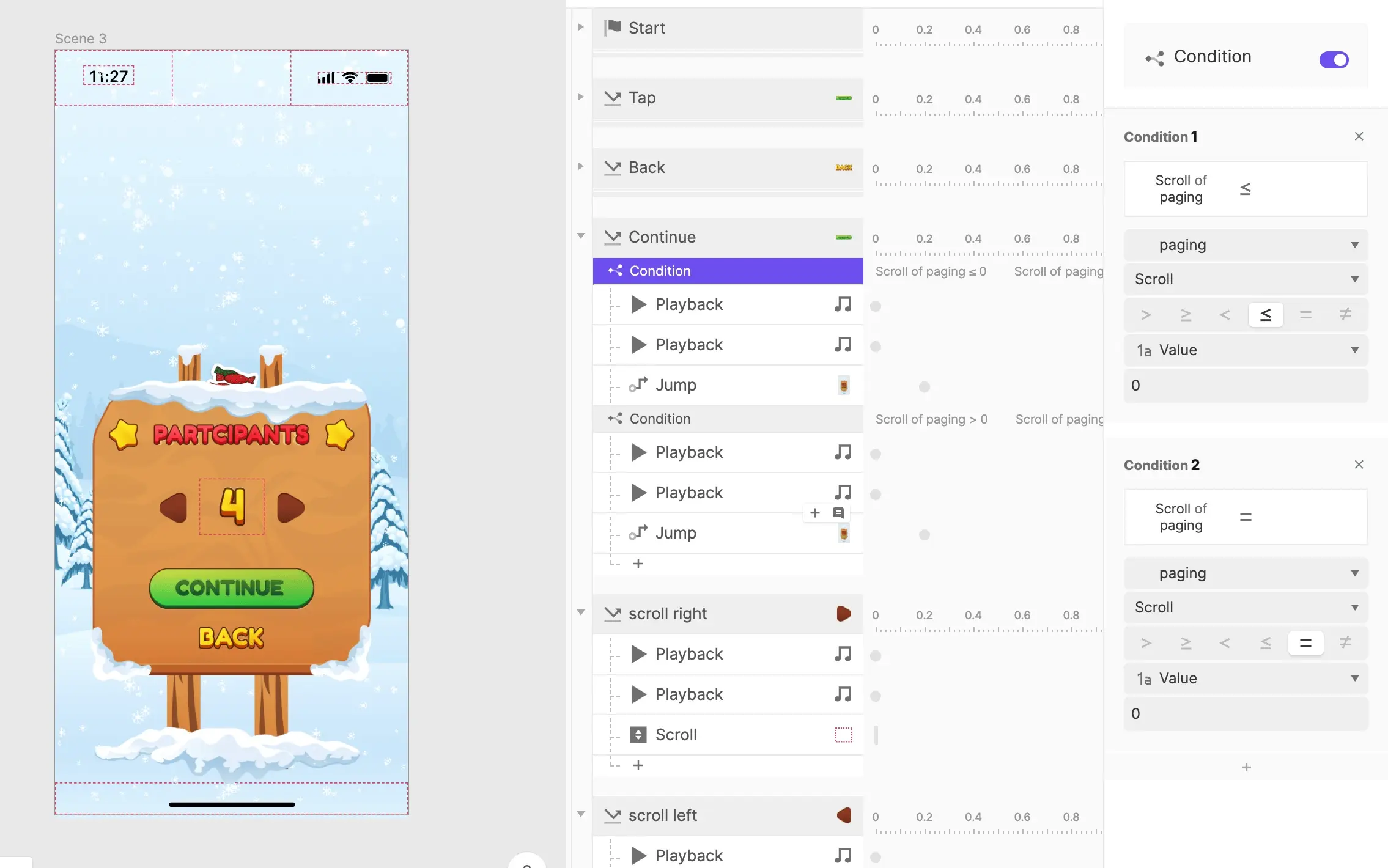
The participant selection screen used Range & Detect triggers, Assign response, Scroll detection and Paging conditions to allow you to choose between 4 or 8 participants.
Each option triggered different input field configurations on the next screen, demonstrating ProtoPie's ability to create dynamic flows.

The Matching Algorithm: Logic & Randomization
This was the technical heart of the prototype. I actually created different .pie files to test randomization separately. The protopie community was super helpful too.

The matching system needed to:
Take input names (stored in variables
name_1,name_2, etc.)Randomly pair participants without duplicates
Display results clearly
Allow reshuffling on demand
Using ProtoPie's Assign response with formulas, I created randomization logic:
Conditions checked that no participant was assigned to themselves
Detect triggers monitored variable changes to prevent duplicate pairings
The
indexOf()andlength()functions ensured valid matches

All participant names, results, and random values were stored as variables that persisted throughout the experience.

The Reveal Experience
The shaking gift box animation:
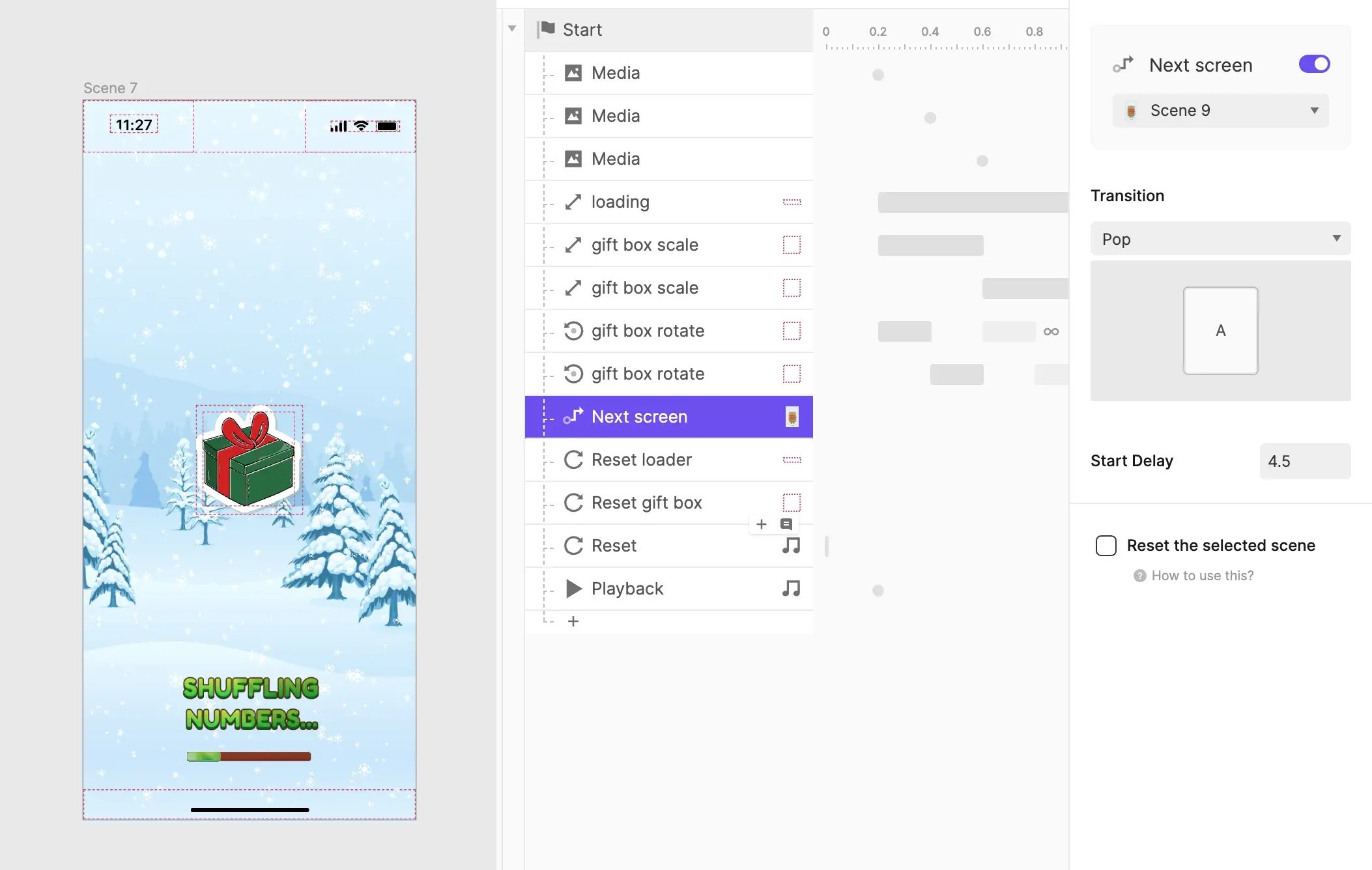
I created separate result scenes for different group sizes (4 and 8 participants) since each required different layout configurations.
Conditional logic determined which scene to jump to based on the participant count selected earlier.
Displayed Matches:
Text fields populated with
#1,#2, …,#7,#8pulling from the variablesVisual pairing indicators (gift box icons) connecting each participant to their Secret Santa match

The "GO HOME" and "RESHUFFLE" buttons give you control:
Go Home — jumps back to the home screen and resets all variables
Reshuffle — clears results, re-runs the randomization logic, and displays new matches without retyping names

Why Protopie?
ProtoPie's strength in handling variables, conditional logic, and formulas made it ideal for this project at the time.
The cloud hosting feature was crucial; I could share a single link that anyone could open on their device. This made it accessible.
Key capabilities I leveraged:
Variables for storing and manipulating input
Conditional logic and formulas for randomization
Timeline-based animation
Audio playback for festive sound design
Multi-scene navigation with state persistence
Tap, Detect, Range triggers
The Experience
First Impressions
The experience begins with a splash screen, immediately establishing the connection with Thrindle while setting expectations for what comes after.
This quickly transitions into the landing screen, decorated with snow and Christmas trees that set the holiday mood.
Full Intro Sequence (with audio)
A delightful Christmas-themed intro sequence. It transforms the act of opening the app into an event, making you feel like you're unwrapping something special before you even match with someone. Use your headphones!
Setting Up the Game
After tapping "Start", you land on the setup screen where you choose the group size. Either 4 or 8 people.
This deliberate constraint makes the experience fast and simple. No overthinking.
After selecting the group size, you can input the names of all participants. Here, I used the names of some of my colleagues. The interface keeps this process simple.
Anticipation (with audio)
The wind-blowing sound, gift box shaking, and loading animation all leading you to the reveal.
The Reveal Moment (with audio)
The final screen showing the results;
Tosin to gift #2 (Dipo)
Dipo to gift #4 (Darasimi)
David to gift #1 (Tosin)
Darasimi to gift #3 (David)
What Happens Next? You have two options:
Return to home screen to start afresh or exit
Reshuffle to generate new matches if you want to try again
Final Thoughts
The prototype was shared with a few colleagues at Thrindle and online on Twitter before the Christmas break. The feedback centered on how fun and delightful the experience felt.
What worked: Prioritizing delight over minimalism created a memorable experience. Shipping a functional experience in less than 2 weeks proved that constraints can drive creativity, and designing within my skill limits in Protopie forced focus on what truly mattered.
What I'd have done differently: If I revisited this, I'd push the reveal further with a staggered animation that builds suspense before each name appears. I'd also improve the matching logic, so that participants never match themselves.
Secret Santa started as something small then became an exercise in designing for delight; proving that even simple tasks can become memorable when you prioritize intent and detail.
Credits
My Role
Visual & Interaction Designer